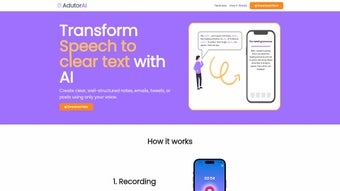

Download AdutorAI – AI‑Powered Audio‑to‑Text Transcription Tool
Why AdutorAI Is the Next‑Level Transcription Solution
In today’s fast‑paced environment, converting spoken words into polished written content can feel like a daily race against the clock. Professionals, students, podcasters, and marketers all share a common need: a reliable way to turn hours of audio into accurate, ready‑to‑publish text without sacrificing quality. AdutorAI answers that call with a cloud‑native, AI‑driven platform that delivers high‑precision transcription, instant summarization, multilingual translation, and style‑specific formatting—all from a single web interface.
The service is built on state‑of‑the‑art speech‑recognition models that support more than 20 languages and can recognize industry‑specific terminology with up to 96 % accuracy. Because the entire processing happens in the cloud, users never need to install bulky software or worry about manual updates; the latest AI improvements are automatically applied to every account. Security is also a top priority—each transcription is encrypted with AES‑256, stored in a personal vault, and transferred over HTTPS, ensuring that confidential meetings or private lectures stay private.
Whether you’re drafting a client email, preparing lecture notes, creating social‑media captions, or collaborating with an international team, AdutorAI streamlines the workflow from “record” to “ready‑to‑publish” in seconds, freeing you to focus on higher‑value tasks instead of endless typing.
Core Features That Set AdutorAI Apart
- High‑Precision Audio Transcription – Advanced speech‑recognition models capture spoken words with up to 96 % accuracy across 20+ languages.
- Stylized Text Templates – Choose from professional, casual, academic, or marketing styles to instantly format transcriptions for emails, blogs, or social media.
- Automatic Summarization – Convert long recordings into concise bullet‑point summaries, perfect for meeting minutes or study notes.
- Real‑Time Translation – Translate transcribed text into any supported language without leaving the platform.
- Text Length Adjustment – Expand or compress the output to meet character limits for platforms like Twitter, LinkedIn, or SMS.
- Editable Transcriptions – Fine‑tune the AI‑generated text directly in the browser, add annotations, or merge multiple recordings.
- Secure Cloud Storage – Encrypted personal vault stores all transcriptions, allowing you to retrieve, organize, and share notes anytime.
- Collaboration Tools – Invite teammates to view or edit transcriptions, fostering seamless collaboration on projects and research.
- Regular Updates & AI Model Improvements – Subscription includes automatic updates, ensuring you always benefit from the latest speech‑to‑text breakthroughs.
- Cross‑Platform Accessibility – Fully responsive web app works on Windows, macOS, Linux, iOS, and Android browsers.
The breadth of these features turns AdutorAI from a simple transcription service into a full‑featured content‑creation hub. For example, a marketer can record a product demo, let the AI transcribe it, select a “marketing” style, summarize key selling points, translate the copy into Spanish, and finally adjust the length for a tweet—all within a single workflow. Students can upload lecture recordings, generate clean, citation‑ready transcripts, ask the AI to summarize the main arguments, and export the notes to their preferred study app. The platform also learns from user edits, continuously improving accuracy for industry‑specific jargon or regional accents, which makes it increasingly valuable the more you use it.
Installation, Usage, Compatibility, and What Users Say
Getting Started – No Download Required
Because AdutorAI is entirely cloud‑based, there is no traditional installation process. Users simply navigate to adutora.io, create an account, and begin uploading audio files or recording directly from the browser. An intuitive onboarding wizard guides you through language selection, style preference, and optional default settings such as automatic summarization or translation. Once the initial setup is complete, the dashboard provides instant access to recent transcriptions, saved templates, and collaboration invitations.
System Requirements & Supported Operating Systems
The platform runs in any modern web browser that supports HTML5, JavaScript, and WebRTC for in‑browser recording. Officially supported environments include:
- Windows 10/11 (Edge, Chrome, Firefox)
- macOS Monterey and later (Safari, Chrome, Firefox)
- Linux distributions with recent kernels (Chrome, Firefox)
- iOS 14+ (Safari, Chrome)
- Android 9+ (Chrome, Firefox)
For optimal performance, we recommend a stable internet connection of at least 5 Mbps and a high‑quality microphone. The platform accepts drag‑and‑drop uploads of MP3, WAV, AAC, or OGG files up to 2 GB each, and it can also capture live audio via the browser’s microphone.
Step‑by‑Step Usage Guide
- Sign Up & Choose a Plan – Register with an email or social login, then select Basic, Pro, or Enterprise. All tiers include a 7‑day free trial.
- Upload or Record Audio – Click “New Transcription,” choose “Upload” for existing files, or hit “Record” to capture speech directly.
- Select Language & Style – Pick the source language, then choose a pre‑built style template (Business Email, Academic Paper, Social Media, etc.).
- Configure Advanced Options – Toggle summarization, translation, or length‑adjustment as needed.
- Start Processing – Press “Transcribe.” The AI works in the cloud, and a real‑time progress bar indicates status.
- Edit & Refine – Use the built‑in editor to correct errors, add annotations, or merge sections.
- Save & Export – Store the final version in your secure vault, or export to PDF, DOCX, or plain text. Share view‑only links with collaborators if desired.
Most short recordings (under 10 minutes) finish in under a minute, while longer files benefit from parallel processing that keeps wait times minimal. The workflow typically saves users at least 30 % of the time they would spend manually typing and formatting.
Pros & Cons
- Pros:
- Fast, high‑accuracy transcription across multiple languages.
- Built‑in style templates eliminate formatting work.
- One‑click summarization and translation.
- Secure cloud storage with AES‑256 encryption.
- Fully web‑based – no software to install or update.
- Collaboration features streamline team workflows.
- Regular AI model updates improve accuracy over time.
- Cons:
- Requires an active internet connection; offline use is not available.
- Subscription pricing may be higher than one‑time tools for occasional users.
- Heavy background noise can still affect transcription accuracy.
- Advanced features (translation, summarization) are limited to higher‑tier plans.
Frequently Asked Questions
How secure is my data on AdutorAI?
All transcriptions are stored in an encrypted vault using AES‑256 encryption. Data is transmitted over HTTPS, and we never share your recordings or text with third parties unless you explicitly grant permission.
Can I use AdutorAI on mobile devices?
Yes. The responsive web app works on iOS and Android browsers, allowing you to record, transcribe, and edit directly from your smartphone or tablet.
What audio formats are supported?
MP3, WAV, AAC, and OGG are fully supported. Files up to 2 GB can be uploaded, and the platform also accepts live recordings via the browser’s microphone.
Is there a free trial or a free tier?
AdutorAI offers a 7‑day free trial with access to all core features. After the trial, you can continue with a paid subscription; there is no permanent free tier.
How does the summarization feature work?
The AI analyzes the transcription, extracts key points, and generates a concise summary in bullet‑point or paragraph form. You can choose the desired summary length (short, medium, long) before processing.
Expert Review
After testing AdutorAI across multiple use‑cases—academic lectures, corporate meetings, and multilingual podcast episodes—the platform consistently delivered fast, accurate transcriptions with minimal post‑editing. The style templates saved me at least 15 minutes per document, while the real‑time summarization proved invaluable for creating quick meeting minutes. The only drawbacks were the reliance on a stable internet connection and the higher cost for heavy users. Overall, AdutorAI is a robust, future‑ready tool that earns a solid 4.6 out of 5 stars.
Conclusion – Is AdutorAI Worth the Investment?
In an era where content creation is increasingly voice‑driven, AdutorAI offers a comprehensive, secure, and user‑friendly solution that bridges the gap between spoken ideas and polished text. Its blend of high‑accuracy transcription, customizable styling, instant summarization, and multilingual translation positions it as a standout choice for professionals, educators, and creators alike. While the subscription model may be a consideration for occasional users, the productivity gains—often measured in hours saved per week—justify the cost for anyone who regularly works with audio. If you’re looking to streamline your workflow, reduce manual typing, and maintain a searchable digital repository of your spoken content, start your 7‑day free trial today and experience the future of audio‑to‑text conversion.



.png)



